Lock In
Smart App Blocker, Habit & Sleep Tracker
> Screenshots
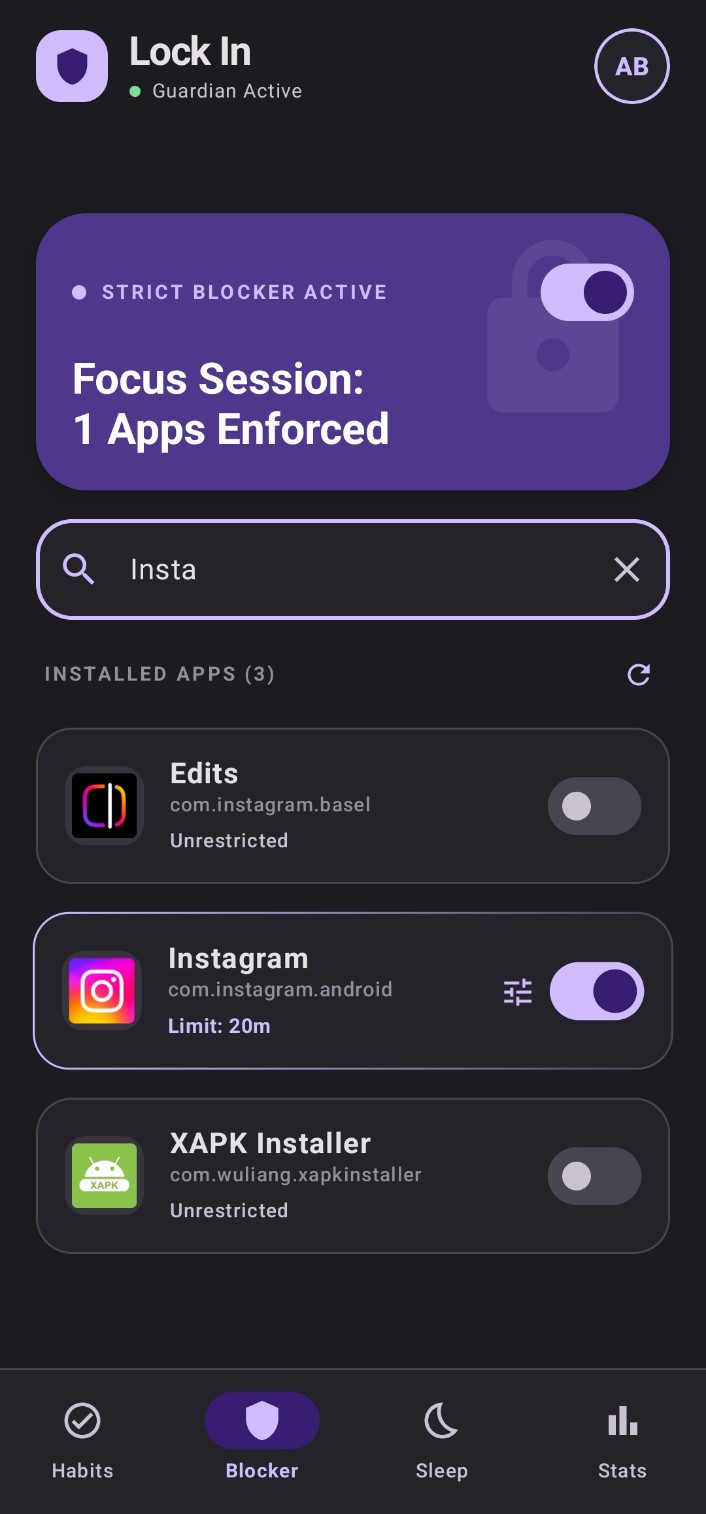
App Blocker — Focus Session Active
> Overview
Lock In was born out of a personal need to fight distraction and build discipline without relying on willpower alone. The strict app blocker enforces daily time limits and scheduled lockout windows — when you hit your Instagram limit, a full-screen overlay takes over and a 5-minute emergency bypass forces an intentional pause before granting access. The habit tracker features a beautiful monthly calendar grid with streak tracking and WorkManager-powered reminders that let you complete or skip directly from the notification tray. Sleep tracking logs your bedtime with a single tap, calculates a sleep quality score based on your target deviation, and can automatically enable the focus shield while you sleep. Everything ties together in the Focus Stats dashboard with screen time analytics, per-app usage bars, and an emergency unlock audit log for digital mindfulness.
> Key Features
- Strict App Blocker: Daily usage limits, scheduled lockout windows, full-screen lockout overlay with a 5-minute emergency bypass countdown
- Battery-Aware Monitor: Foreground service that intelligently sleeps when the screen is off to preserve battery life
- Habit Tracker: Custom habits with color accents, monthly calendar grid, completion streaks, and interactive WorkManager notifications (Complete / Skip from tray)
- Sleep Tracker: One-tap sleep/wake logging, automatic sleep quality scoring with target deviation tracking, and Bedtime Focus integration
- Focus Stats Dashboard: Screen time analytics, per-app usage progress bars, habit performance insights, and an emergency unlock audit log
> How to Install
This is a sideloaded APK — not available on the Play Store yet. You'll need to enable Install Unknown Apps on your device to install it.
- 1
Download the APK
Tap the Download APK button above to save the file to your device.
- 2
Allow Unknown Sources
Go to Settings → Security (or Privacy) → Enable 'Install Unknown Apps' for your browser or Files app.
- 3
Install the APK
Open your Downloads folder, tap on lockin.apk, and follow the on-screen prompt to install.
- 4
Grant Permissions
On first launch, navigate to the Blocker tab and grant Usage Access, Draw Over Other Apps, and Notification permissions for full functionality.
- 5
You're in
Set your first app limit or habit and start your focus session!
> Tech Stack